
13 Best OSINT (Open Source Intelligence) Tools for 2025
Open-source intelligence tools (OSINT) analyze hidden data from public sources. Explore this list of the top OSINT tools, handpicked by our experts.
June 11, 2025

The internet is packed with valuable public data—you just need to know where to find it.
OSINT tools help you dig through this data to find exactly what you need, from company records to social media conversations.
You can use them to investigate security threats, analyze public sentiment, and spot important trends.
We’ve tested dozens of OSINT tools and put together this guide to the very best ones for 2025.
Whether you're a security analyst, researcher, or business owner, you'll find the perfect software for your needs.
What are OSINT tools?
Open-source intelligence tools (OSINT) are software that helps you collect and analyze information from publicly available sources.
Like company websites, social media posts, news articles, government databases, and forums.
You can use them to scan and organize multiple sources at once instead of spending hours on manual research.
Why do you need OSINT tools?
OSINT software can aid various teams and needs, whether you’re running a business, working in IT, or doing research.
Here’s how:
Security teams use OSINT techniques to spot potential threats and manage digital security risks. For example, if someone's planning to target your company, they might leave traces on forums or social media. OSINT tools can catch these early warning signs. They can also warn you if company data is leaked on the dark web.
Businesses use OSINT to stay ahead of events and trends. It helps them track what people say about their brand, check out the competition, verify potential partners, and even find new customers. Plus, it can prevent various risks like online fraud.
Researchers and journalists use OSINT tools because they cut down hours of manual digging. Instead of jumping between dozens of websites and databases, they can access everything in one place.
The top 13 OSINT tools to use in 2025
Let’s look at each tool in detail.
1. The OSINT tool by Talkwalker and Hootsuite
Best for: AI-powered social media and web monitoring
Who is it for: PR agencies, brands, security teams, and government agencies
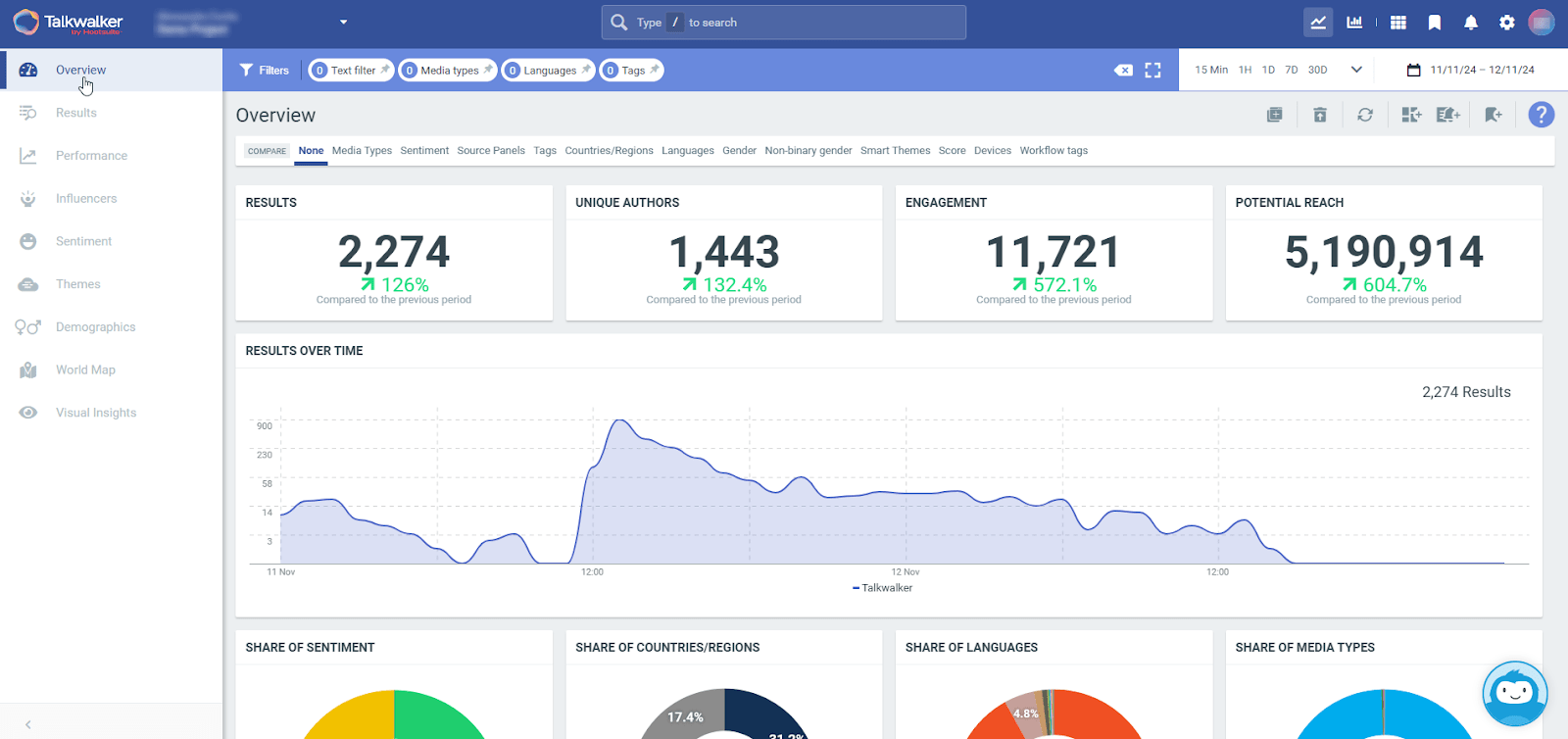
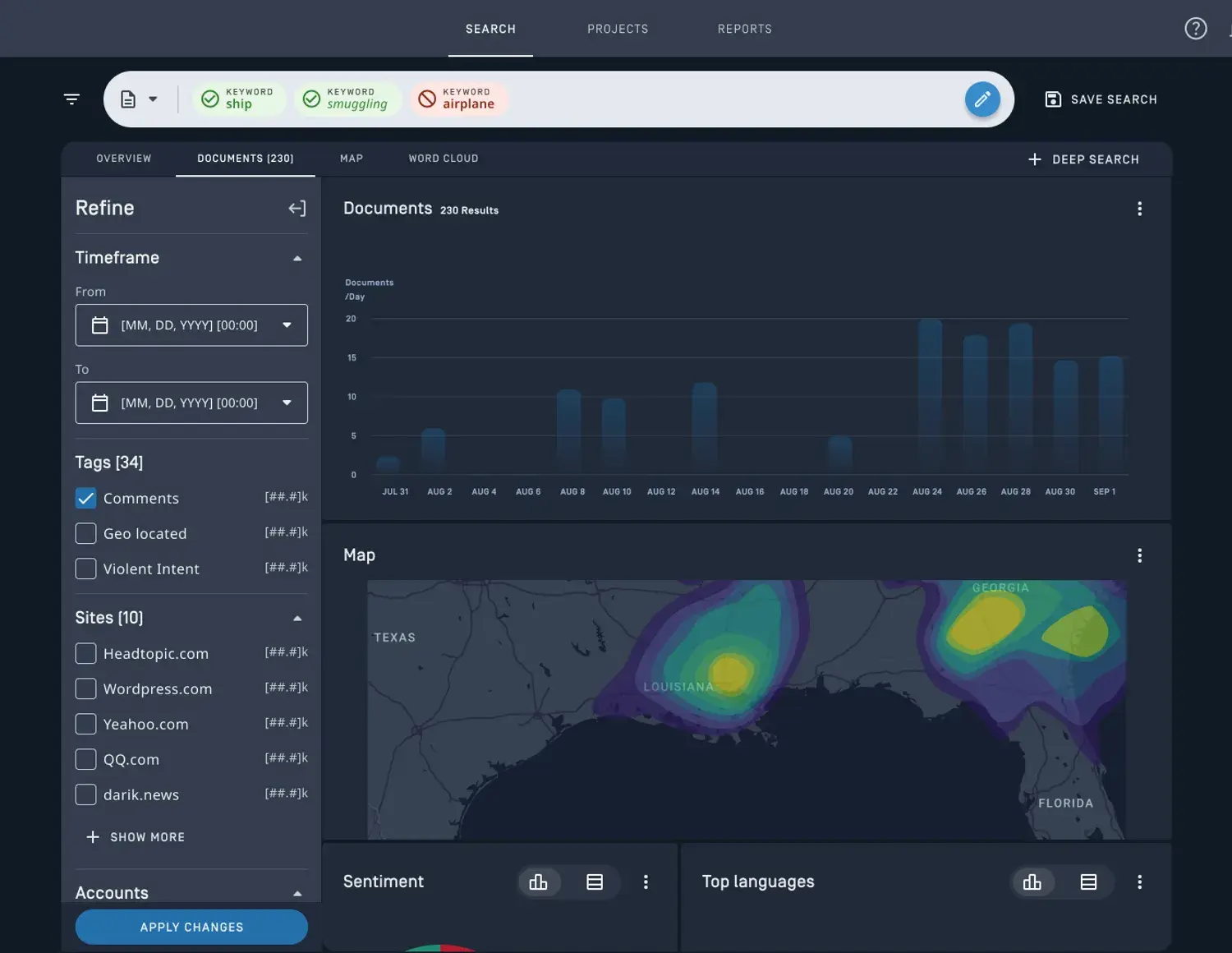
The OSINT solution by Talkwalker and Hootsuite scans millions of online sources to detect potential threats, track brand mentions, and analyze public sentiment.
It monitors an impressive 150M+ websites and 30+ social networks in 187 languages. It also alerts you to relevant content and emerging issues in real time.
And here’s the exciting bit.
This OSINT software goes beyond simple monitoring. It uses AI to analyze sentiment and predict how situations might develop.
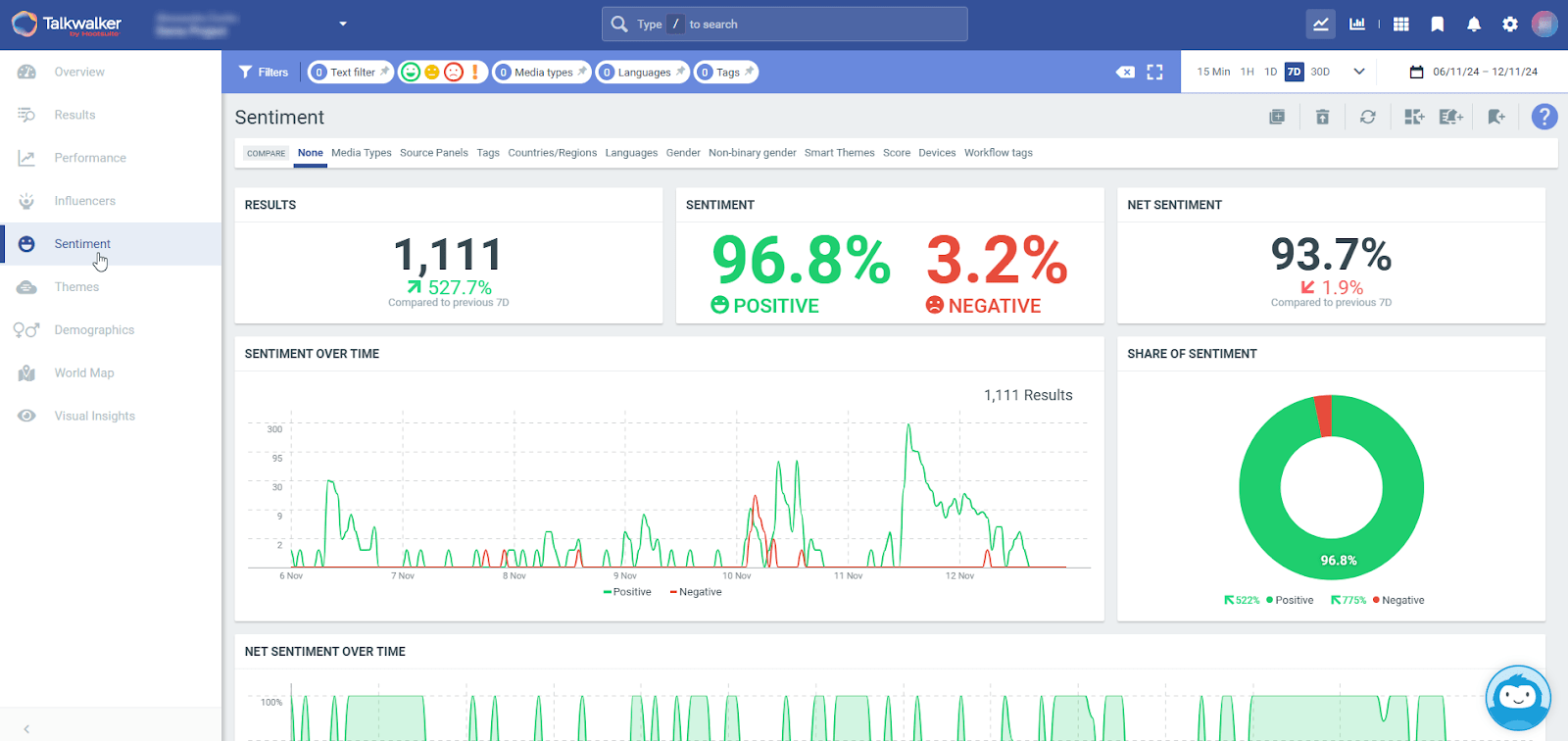
For example, it can detect growing negative sentiment around certain topics. It will then forecast which discussions might escalate into larger issues within the next 90 days.
It also offers visual intelligence capability.
The platform identifies objects and logos in images and videos across social media, even when there's no text mentioning them.
Top features:
Quick Search for tracking websites, news sites, forums, social media platforms, blogs, and more
Blue Silk AI™ for trend prediction up to 90 days ahead and complex data analysis
100+ integrations with security tools like Proofpoint and Brolly
AI-powered trend prediction, sentiment analysis, and threat assessment
Real-time alerts for keywords and unusual activity
Custom dashboards for different security monitoring needs
Image and video monitoring
Price:
Custom pricing based on your needs (contact for demo)
2. Maltego
Best for: Cybercrime OSINT investigations and fraud detection
Who is it for: Cybersecurity teams, fraud investigators, and law enforcement agencies
Maltego is an investigation tool that visualizes connections between people, companies, and online data points.
Think of it as creating an interactive map of connections that would be impossible to see when looking at data separately.
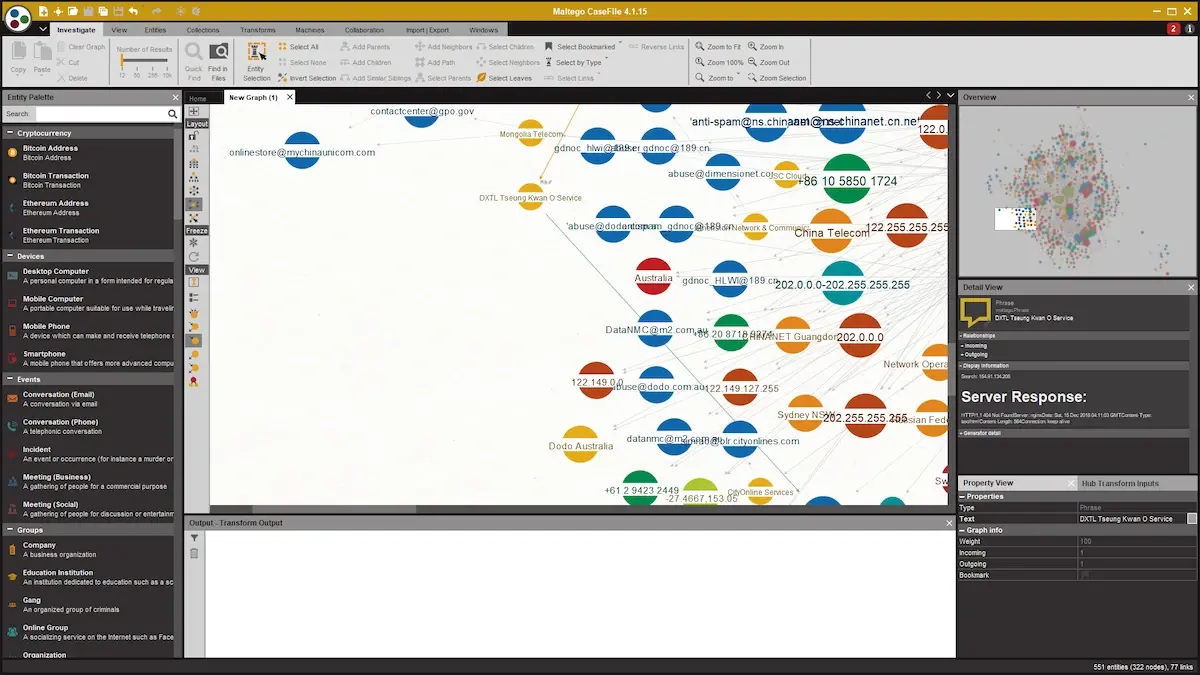
It serves cybersecurity teams and fraud analysts to research suspicious activities and map out the complete attack surface of a target.
For example, analysts can input a suspicious email address in the tool when investigating a potential cybercrime.
Maltego will then automatically reveal all connected social media accounts, websites, other email addresses, and business registrations tied to that target.
Top features:
Cross-platform activity monitoring (social media, dark web, public records)
Connection mapping between accounts, domain names, and business entities
Visual investigation graphs
Anonymous investigation mode
Team collaboration workspace
Price:
Community Edition: Free (limited features)
Professional: Custom pricing (up to 5 users)
Organization: Custom pricing (unlimited users)
3. OSINT Industries
Best for: Investigating online identities
Who is it for: Law enforcement, cybersecurity teams, journalists, and individuals
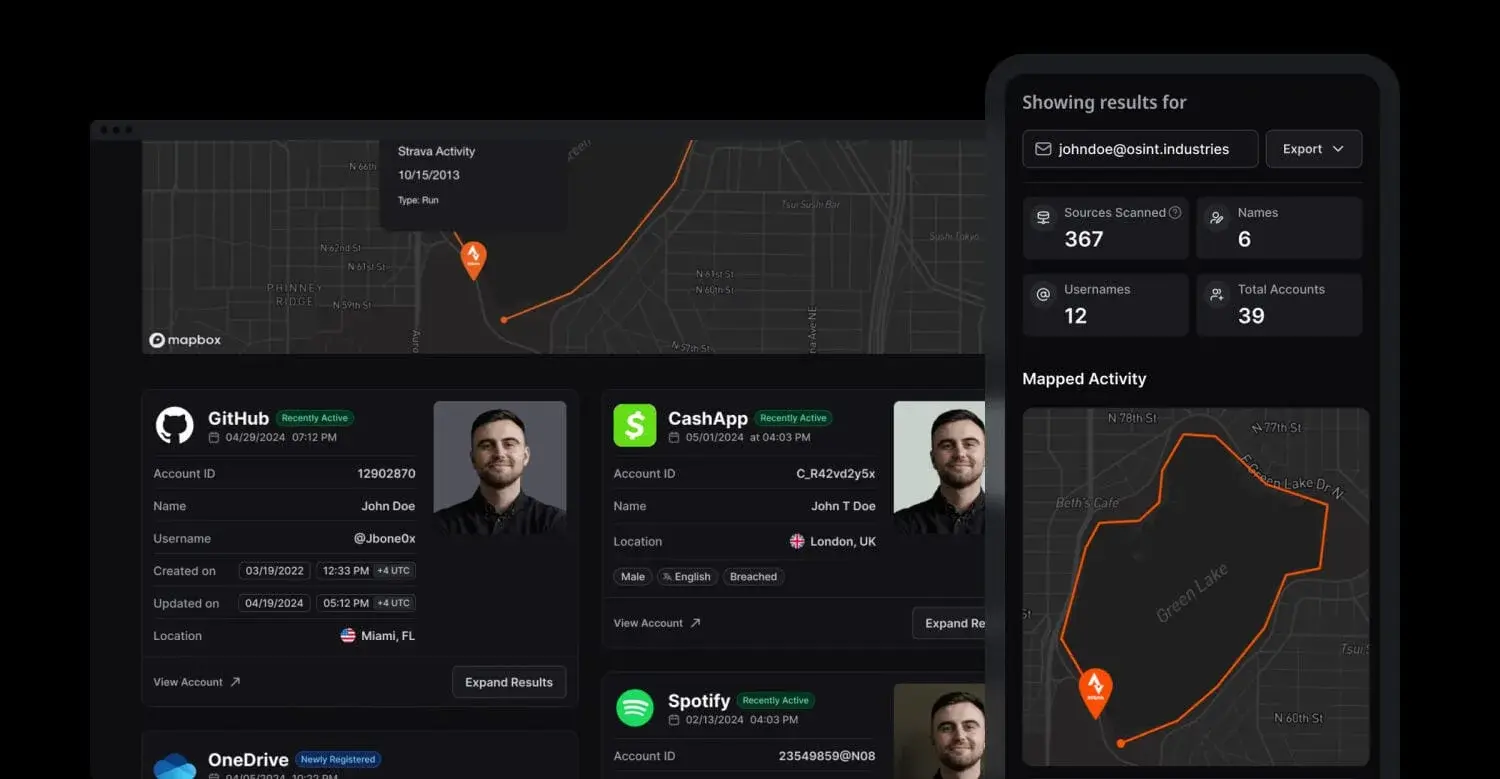
OSINT Industries is a real-time lookup tool that shows which online accounts are tied to an email, phone number, username, or crypto wallet.
It helps with tracking fraud, researching someone before a meeting, digging into public records, and running investigations.
For example, type in an email address and instantly see connected accounts on platforms like Instagram, Telegram, CashApp, Airbnb, and more.
You can even spot breached data, map digital footprints, and view recent activity over time.
Top features:
Real-time searches with 100% accuracy
Email, phone, username, name, and crypto wallet lookups
Interactive timeline and map of online activity
Breach detection and account status flags
API access and training are available for pro users
Price:
Plans start at £19/month
4. Intelligence X
Best for: Deep search of online data, including darknet, data leaks, and historical content
Who is it for: Intelligence gathering, cybersecurity researchers, and corporate investigators
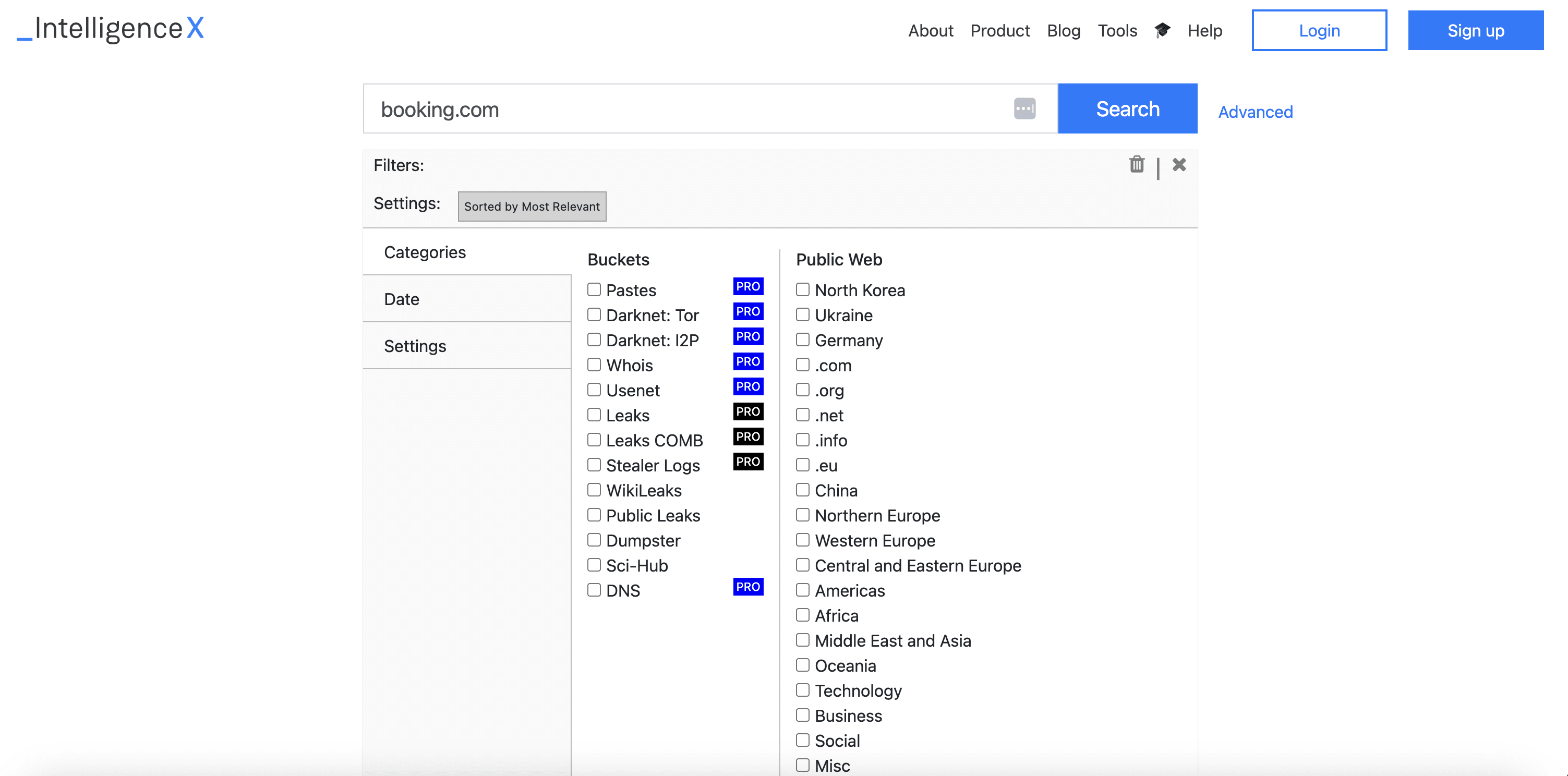
Intelligence X is a search engine that finds and archives data from public sources, the dark web, and historical records.
It uses specific identifiers, such as email addresses, domains, cryptocurrency addresses, and phone numbers, to find information.
Why could this tool be useful for your OSINT needs?
Because it can search across multiple hard-to-access sources simultaneously and find information typically hidden from regular search engines.
For example, it can track cryptocurrency transactions, monitor dark web mentions, or investigate data breaches by searching through historical data leaks.
Top features:
Advanced selector-based search system
Dark web and data leak monitoring
Historical data archive access
Real-time data processing
Automated alert system
Price:
Free: Limited searches/day
Enterprise: €2,500-20,000/year
Custom plans available for larger organizations
5. Crimewall by Social Links
Best for: OSINT cybercrime investigations, fraud detection, threat intelligence
Who is it for: Law enforcement agencies, cybersecurity teams, and corporate investigators
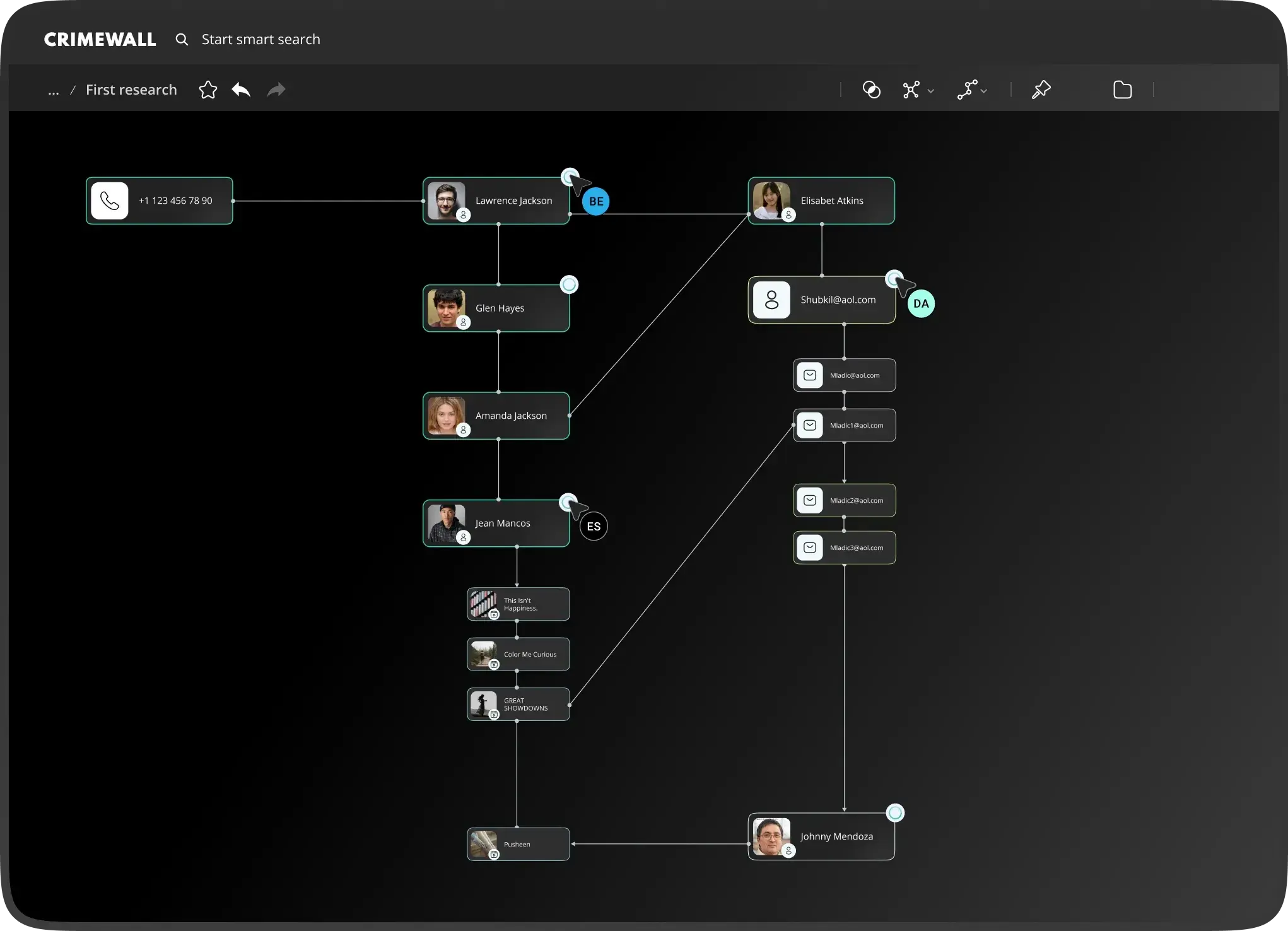
Crimewall by Social Links is an investigation tool that collects data from over 500 open sources, including social media, messaging apps, blockchains, and dark web content.
This OSINT tool also offers automated data processing and flexible visualization options.
For example, you can automatically collect all relevant social media profiles, dark web mentions, and blockchain transactions.
You can then visualize how they're connected (with graphs, tables, maps, etc.) and collaborate on this analysis in real time.
Top features:
500+ data source integrations (social media, messengers, dark web)
Three visualization modes (graph, table, map)
Machine learning data analysis
Team collaboration workspace
Automated monitoring and alerts
Price:
Custom pricing (contact for demo)
6. Liferaft
Best for: Physical security threat monitoring and early risk detection
Who is it for: Security teams at organizations looking to protect their assets and people
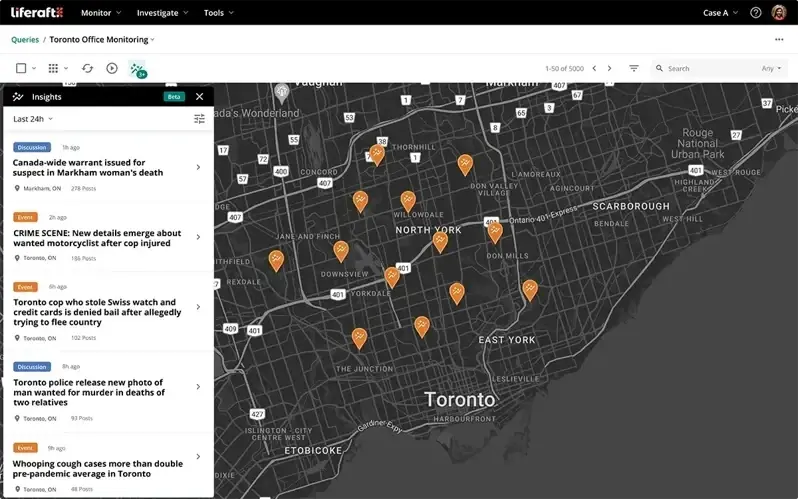
Liferaft is a threat intelligence tool that detects physical security risks and threats.
It monitors social media, blogs, forums, deep web, and dark web sources to identify potential risks to business operations, facilities, or personnel.
For example, imagine someone planning a protest near your company's location or discussing potential threats to your executives. Liferaft will detect and alert you to these risks.
Its key feature is geographical awareness—the platform can visualize your physical assets (like offices or warehouses) on a map and correlate nearby threats.
Top features:
Real-time threat monitoring across public sources and the dark web
Geographic threat visualization and mapping
Asset and facility security monitoring
Automated risk alerts and notifications
Identity resolution for threat actors
Price:
Custom pricing (contact for demo)
7. Shodan.io
Best for: Internet device discovery and network security monitoring
Who is it for: Security teams, IT administrators, and researchers
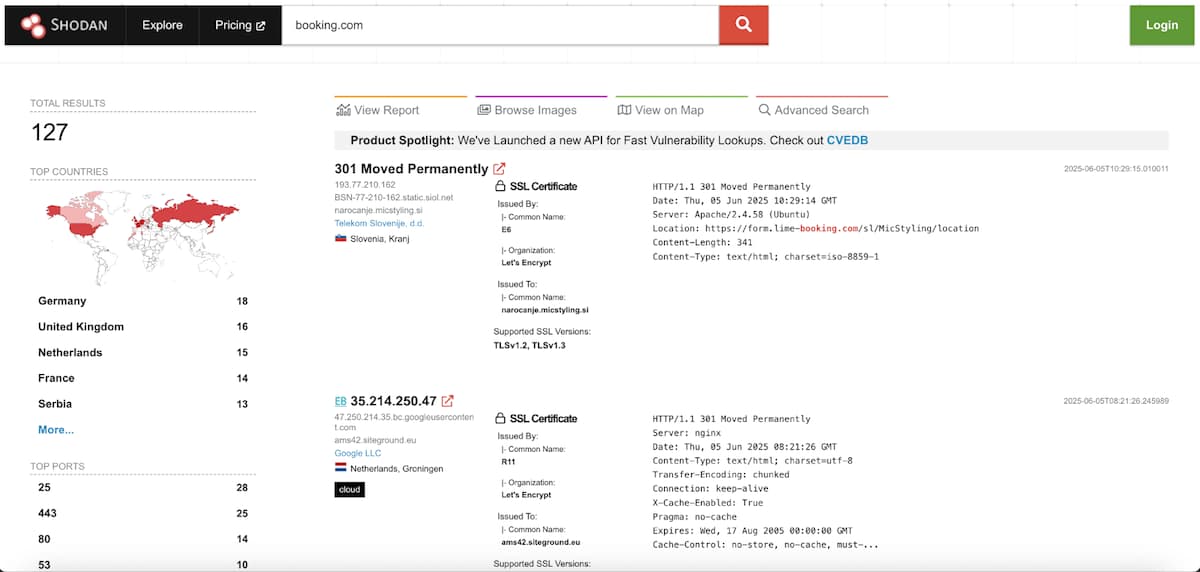
Shodan is a search engine for Internet-connected devices. It covers everything from servers and webcams to industrial control systems and IoT devices.
It can even find devices most people don't realize are connected to the Internet.
For example, the tool can discover industrial control systems in power plants, unsecured security cameras, or exposed databases.
Organizations use it to monitor their network exposure and ensure their devices aren't accidentally exposed to the Internet.
It also helps researchers analyze global technology trends.
Top features:
Global device and service discovery
Network exposure monitoring
Real-time alerts for new devices
Vulnerability detection
IP enrichment and intelligence
Price:
Free: Limited searches
Professional plans: $69-$1,099/month
Enterprise: Custom pricing
8. Paliscope
Best for: Online evidence collection and digital investigation analysis
Who is it for: Law enforcement agencies, investigators, and corporate security teams
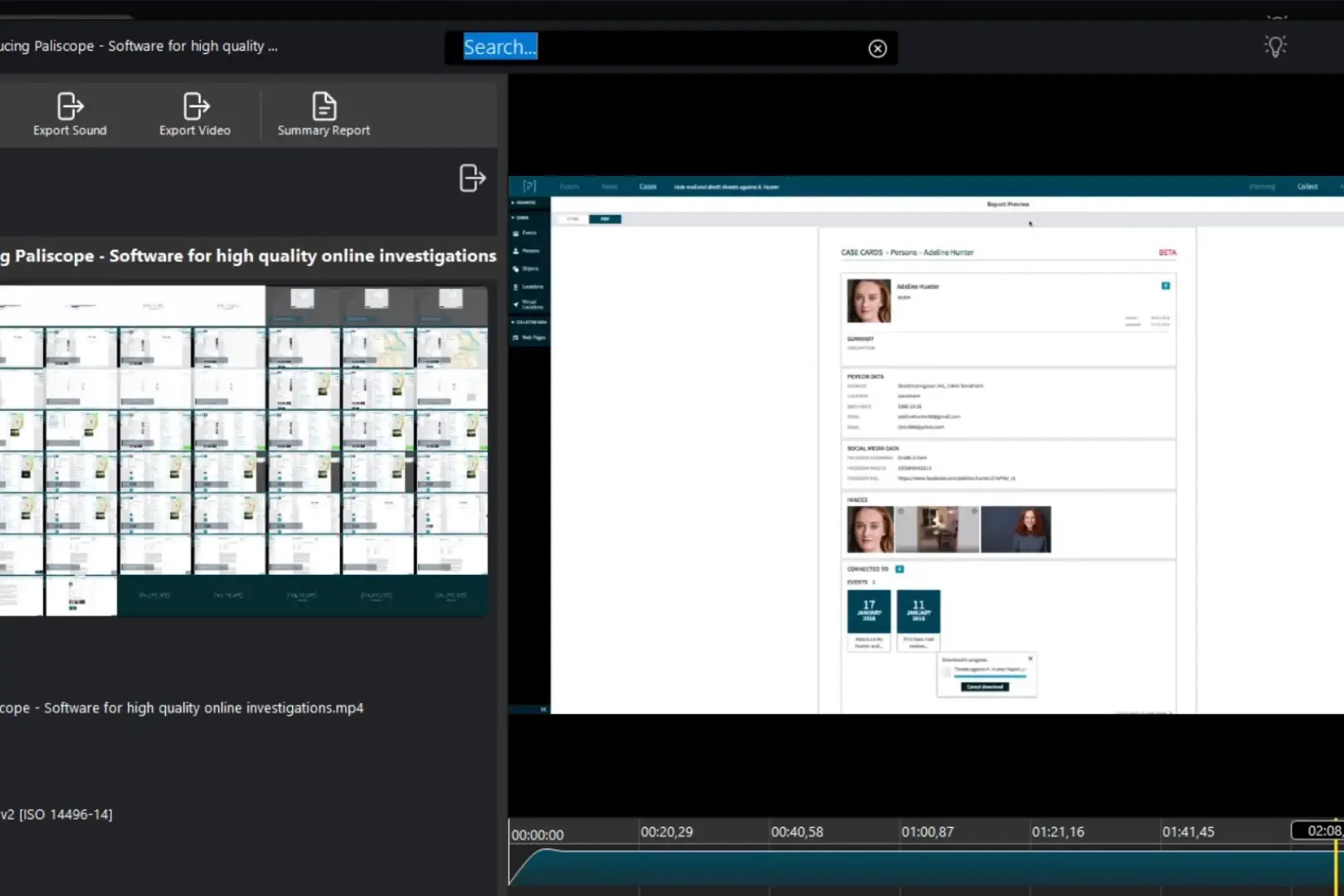
Paliscope is an investigation tool that helps analyze digital evidence from various online sources.
It documents how and when digital evidence was collected, making sure it can be used in legal proceedings.
When an investigator finds something important online, like a social media post or message, Paliscope automatically records this data.
For example, it tracks who captured it and when, and proves it hasn't been altered since collection.
Top features:
Secure evidence collection browser
Multi-format data analysis (text, image, audio)
AI-powered entity recognition
Chain of custody tracking
Automated investigation reporting
Price:
Community: Free (for verified investigative organizations)
Professional: $3,995/year
Advanced: Custom pricing
9. Hunchly
Best for: Web investigation documentation and evidence collection
Who is it for: Investigators, journalists, and researchers
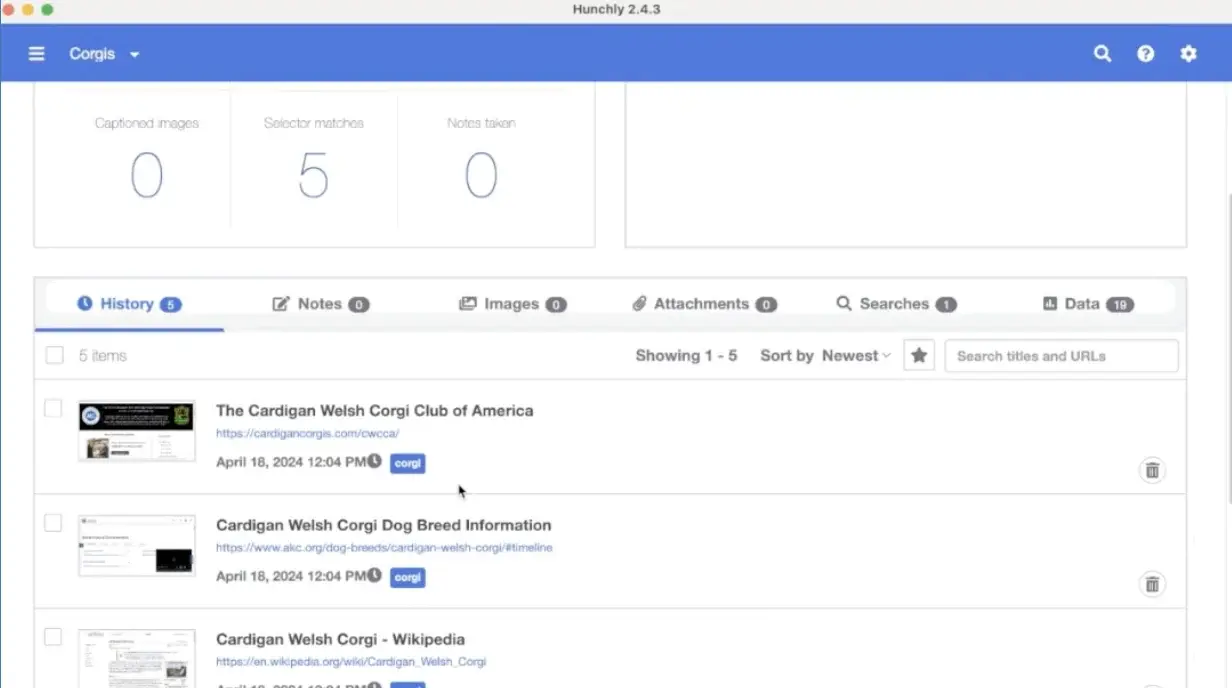
Hunchly is an automated web investigation tool that records everything you see during your online research.
Unlike traditional OSINT tools that actively search for information, Hunchly works in the background while you browse.
It automatically captures every webpage you visit, complete with timestamps and digital signatures to prove authenticity.
This works great for tracking information that might be deleted later or when you need to prove how you found certain content for legal purposes.
Top features:
Automatic webpage capture and timestamping
Evidence preservation with digital signatures
Organized case management system
Court-ready report generation
Local or cloud storage options
Price:
Classic (local storage): $109.99/year
Cloud version: $199.99/year or $19.99/month
Free 30-day trial available
10. Babel Street
Best for: Multi-language threat intelligence and identity investigation
Who is it for: Government agencies, security teams, and compliance departments
Babel Street’s OSINT tool analyzes content across over 200 languages to access identity information and spot potential threats.
It uses AI to find connections in multilingual data from social media, the deep web, and public records.
This is especially useful when you need to build a comprehensive intelligence picture, considering cultural and linguistic variations in how names and identities are recorded.
This makes Babel a great tool for organizations with international operations.
Top features:
Multi-language analysis across 200+ languages
AI-powered identity matching and verification
Global data source integration
Automated threat detection and monitoring
Cross-language network analysis
Price:
Custom enterprise pricing (contact for demo)
11. PimEyes
Best for: Face-based reverse image search and online photo monitoring
Who is it for: Individuals and organizations wanting to track where their photos appear online for identity protection and copyright monitoring

PimEyes is a facial recognition search engine that finds where a person's face appears across the internet.
It can be useful for both individuals and organizations when it comes to tracking and removing unwanted photos.
It uses AI to find photos containing the same face, even in different contexts or backgrounds.
For example, it can find photos of a person even if they have a different hairstyle, are in a different location, or the photo has been modified.
Top features:
AI-powered facial recognition search
Real-time monitoring and alerts
Photo removal assistance
PDF/CSV report generation
Deep search and safe search capabilities
Price:
Open Plus: $29.99/month
PROtect: $39.99/month
Advanced: $299.99/month
12. OpenSanctions
Best for: Sanctions and politically exposed persons (PEP) screening and investigation
Who is it for: Financial institutions, investigators, and compliance teams

OpenSanctions consolidates data from 245 global sources about sanctioned entities, politically exposed persons, and entities of criminal interest.
It creates a de-duplicated dataset by combining official sanctions lists, PEP data, and watchlists from around the world.
You can use this tool to investigate both people and companies.
Top features:
Global sanctions list consolidation
Politically exposed persons database
Criminal watchlist monitoring
Entity relationship mapping
Regular data updates
Price:
Free for non-commercial use
Commercial licensing available
API access with a pay-as-you-go option
13. Google Dorks
Best for: Advanced Google search techniques for finding sensitive or hidden information
Who is it for: Security researchers, penetration testers, and investigators looking to discover exposed information through search engines
Google Dorks is a technique that uses advanced search operators to find specific types of information indexed by Google.
It means using specialized commands and filters to find information that might not be easily visible through normal browsing, like exposed server configurations and ensitive documents,
For example, with the search query site:example.com filetype:pdf confidential , you could find PDF files containing the word "confidential" on a specific website.
All you need to do is type it in a search engine (Google, Bing, or others) and add the target domain.
Here are other operators you can use:
**Site-specific searches:**site:example.com
**File type searches:**filetype:pdf site:example.com
URL content searches:inurl:login
Page title searches:intitle:"index of"
Text content searches:intext:"privacy policy"
Excluding terms:site:example.com -inurl:www
Combining operators:site:example.com intext:"contact us" filetype:pdf
Price:
Free (requires understanding of search operators)
Other OSINT tools you can try
Here are other OSINT tools you can check for more specific use cases.
Built with: A web technology profiler that checks what tools, frameworks, content management systems, and other technologies websites are using.
Email Hippo: An email verification service that helps you validate email addresses, improve deliverability, and protect against fraud by checking email syntax, domain validity, and mailbox existence.
PhoneInfoga : An open-source OSINT tool that gathers information about phone numbers, including carrier details, geographical location, and online footprints.
Have I Been Pwnd? : A free online service you can use to check if your email addresses or passwords have been compromised in data breaches.
RocketReach : A contact intelligence platform that helps you find email addresses, phone numbers, and social media profiles for individuals and businesses (primarily for lead generation).
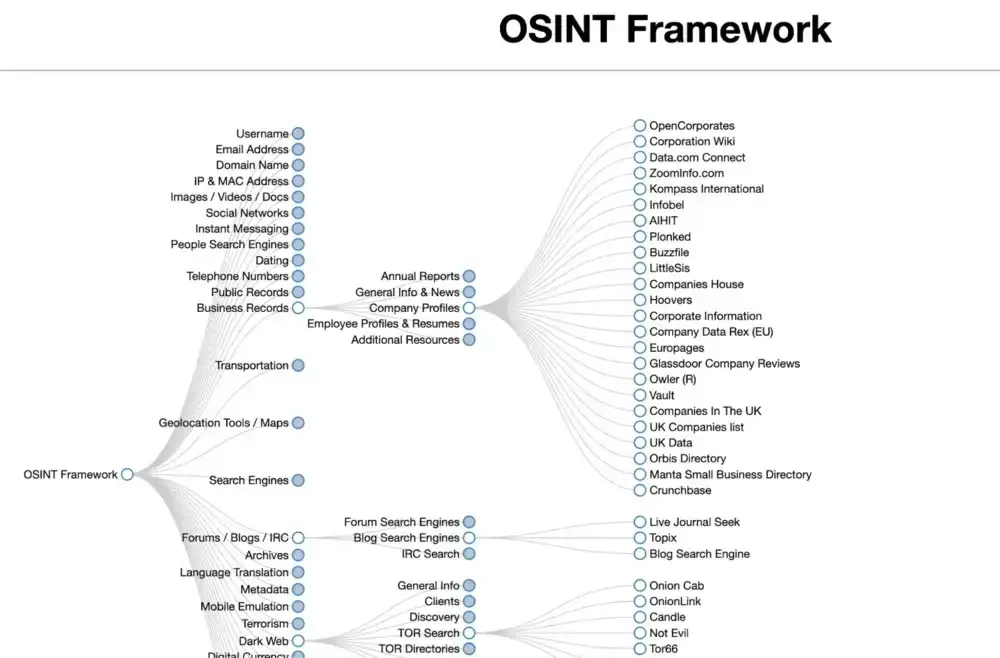
You can also find more OSINT tools for various needs using Osint Framework. It’s a website that organizes links to different online OSINT tools and resources.
Choose the best OSINT tool for your needs
OSINT tools are essential for anyone looking to gather and analyze public information.
Here’s a recap of the top platforms you can use:
The OSINT tool by Talkwalker & Hootsuite for comprehensive social media and web monitoring and threat detection
Maltego for visualizing connections in investigations
Spiderfood if you’re looking for an advanced free OSINT tool
Shodan for discovering exposed devices and systems
SEON for fraud prevention and digital footprint analysis
Google Dorks to start with basic OSINT
FAQs
How did we choose these OSINT tools?
We picked tools based on their online reviews, industry feedback, and overall performance.
Our team members spent a lot of time investigating and checking each of them.
We also focused on covering various use cases and keeping this list diverse.
Which data sources can be used for OSINT?
Pretty much anything publicly available online—social media posts, company websites, government databases, news articles, forums, and even dark web sources.
This information must be legally accessible to anyone without special permission.
Yet, you might not be able to collect it without specialized software.
Is OSINT legal?
Yes, as long as you're accessing publicly available information.
However, how you use this sensitive information also matters.
Many organizations have policies about OSINT use, and some tools require proper licensing or authorization.
What are the key OSINT use cases?
The most common OSINT use cases are:
Security (finding threats before they become problems)
Business intelligence (understanding competitors and market trends)
Investigations (connecting information to solve cases)
How to use OSINT tools?
Each OSINT software functions in its unique way based on the platform you choose.
For example, some of them are web-based while others have a desktop version and require installation on Windows or Linux.
Many OSINT tools, especially those on GitHub, also function via the command line. These often require some technical knowledge (e.g., Python) to set up and use.